
Mass Tax Connect: Your Step-by-Step Guide
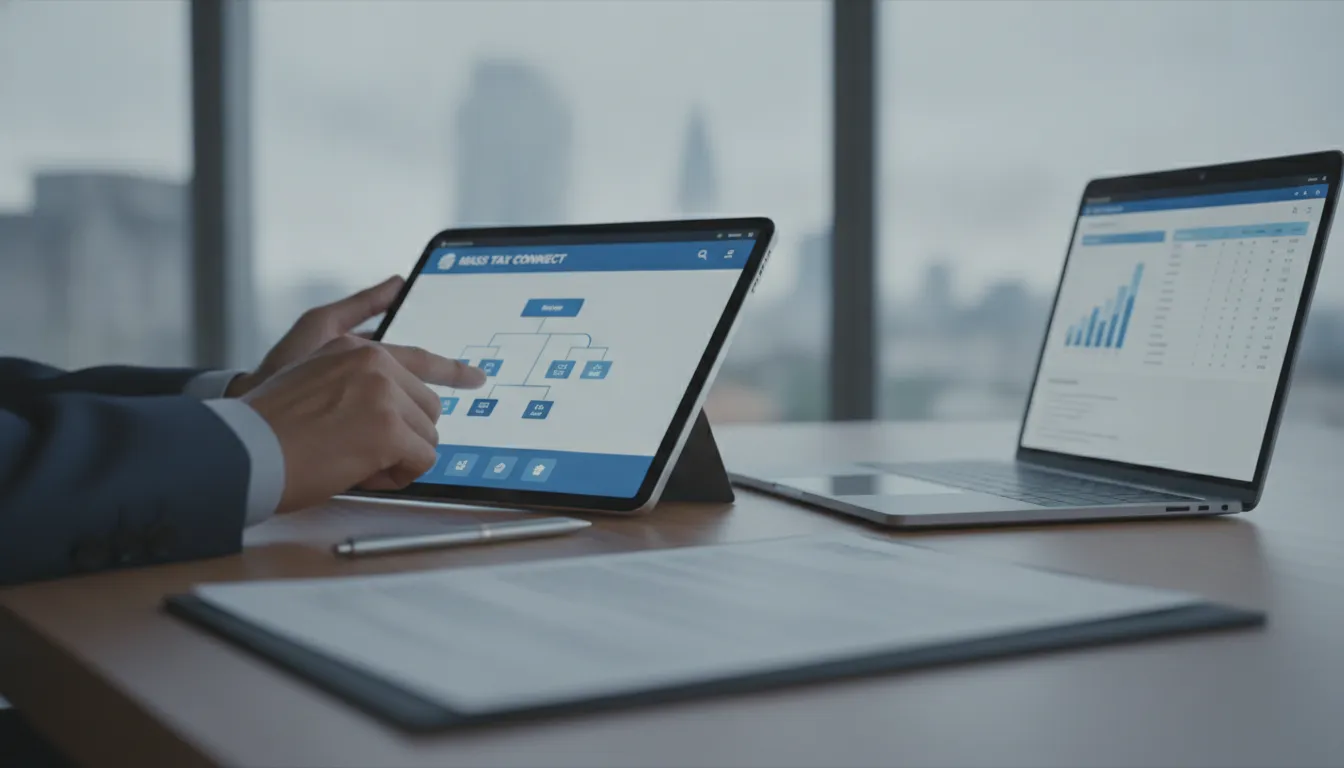
As a small business owner in Massachusetts, you wear a lot of hats, and "accountant" is often one of them. Juggling payroll withholding, sales tax, and your own estimated payments can feel like a constant administrative burden. This is exactly why getting comfortable with MassTaxConnect is so important for your business. It’s the state’s official online system, designed specifically to streamline your tax responsibilities. Instead of managing different forms and deadlines separately, you can handle multiple tax types from a single, secure dashboard. It helps you file returns, schedule payments, and keep clear records, freeing you up to focus on your business.
Key Takeaways
- Make MassTaxConnect your primary tool for state taxes: The platform is the official way to handle nearly all your Massachusetts tax tasks online, including filing returns, making payments, and reviewing your account history in one place.
- Register an account to get the most out of the platform: While you can make a payment as a guest, creating an account gives you full access to your tax history, lets you file returns, and allows you to send secure messages directly to the Department of Revenue.
- Use the available resources when you need help: The DOR provides official video tutorials and a secure messaging system for account-specific questions. For more complex situations or complete peace of mind, working with a tax professional is your best option.
What Is MassTaxConnect?
If you pay taxes in Massachusetts, you’ll want to get familiar with MassTaxConnect. Think of it as your one-stop shop for managing all your state tax obligations online. It’s the official web-based application from the Massachusetts Department of Revenue (DOR), designed to make filing and paying taxes much simpler and more convenient than the old paper-and-mail methods. Whether you’re an individual filing your annual income tax, a new homeowner paying property-related taxes, or a small business owner managing sales and payroll taxes, this is the platform the state uses to handle it all.
The system centralizes everything you need in one secure place. You can use it to file your tax returns, make payments, check your account history, and even communicate directly with the DOR. Instead of waiting on hold or sending letters, you can handle most of your tax tasks right from your computer. The goal of MassTaxConnect is to streamline the entire process, giving you more control and clarity over your tax situation. It’s a powerful tool that helps you stay organized and on top of your responsibilities without the headache. For business owners especially, it consolidates different tax types, like sales tax and employee withholding, into a single, manageable dashboard. This means less time spent on administrative work and more time focused on running your business.
How Does It Work?
MassTaxConnect works like any other secure online portal you might use for banking or paying bills. It’s a website you can access anytime, anywhere you have an internet connection. One of its most convenient features is that you can make payments quickly, even if you haven’t created an account yet. This is perfect for those times you just need to pay a bill without going through a full registration process.
For more complex tasks, you’ll want to log into your account. Once inside, you can view your entire tax history, file new returns, and respond to notices from the DOR. If you have a question about your account, you can send a secure e-message directly to a DOR representative, creating a digital paper trail of your conversation.
Who Can Use It?
The platform is built for nearly everyone who interacts with the Massachusetts tax system. MassTaxConnect is available for both individual taxpayers and businesses, making it a universal tool for the Commonwealth. If you’re an individual, you can create an account as long as you have previously filed an income tax return in Massachusetts. This is a key requirement for first-time filers to keep in mind.
For small business owners, the portal is essential. You can manage various tax types, including sales tax, withholding tax for employees, and corporate excise tax, all under one login. The DOR even provides helpful videos for small businesses to help you get started. Whether you're a freelancer, a landlord with rental properties, or a growing company, this system is designed to be your primary tool for state tax compliance.
What Can You Do on MassTaxConnect?
Think of MassTaxConnect as your personal dashboard for all things related to Massachusetts state taxes. It’s much more than just a website for payments; it’s a powerful tool designed to simplify how you manage your tax obligations. Whether you’re an individual, a new homeowner, or running a small business, the portal brings everything you need into one convenient place. From filing returns to checking your payment history, you can handle most of your tax tasks online, saving you time and paperwork.
Pay Your Taxes Online
One of the most straightforward features of MassTaxConnect is the ability to pay your taxes online. You can say goodbye to writing checks and making last-minute trips to the post office. The system allows you to make payments anytime, from anywhere with an internet connection. This is perfect for handling your personal income tax, estimated taxes for your business, or property-related taxes. What’s especially convenient is that you don’t always need an account to do this. If you just want to quickly pay a tax bill and move on with your day, you can do so without going through a full registration process.
File Returns Electronically
Beyond just paying, you can also file your Massachusetts tax returns directly through the portal. MassTaxConnect is the Department of Revenue's official web application for electronic filing. This applies to a wide range of taxes, including sales tax for your business or personal income tax. Filing electronically helps reduce errors, gives you instant confirmation that the DOR has received your return, and can even speed up your refund if you’re expecting one. It’s a secure and efficient way to meet your filing deadlines without the hassle of paper forms. You can access the portal to get started with your electronic filing.
View Your Account History
MassTaxConnect acts as a digital record-keeper for your state tax life. Once you have an account, you can log in to see a complete history of your interactions with the DOR. This includes viewing past payments you’ve made, checking the status of your returns, and accessing any notices or correspondence the DOR has sent you. For small business owners or those managing rental properties, this feature is invaluable for bookkeeping and financial planning. It gives you a clear, consolidated view of your tax situation, which is incredibly helpful when you need to review your account details or prepare for the upcoming tax season.
Message the DOR Securely
Have a question that involves your personal or business tax information? Instead of waiting on hold or sending an email with sensitive data, you can use the secure messaging feature within MassTaxConnect. This function allows you to send a private message directly to the DOR about your specific account. It’s the recommended way to handle account-specific inquiries because it protects your confidential information. Using the secure message center also creates a written record of your conversation with the DOR, which can be useful for future reference. For general questions, you can find other ways to contact the DOR, but for anything private, the portal is your best bet.
Should You Create a MassTaxConnect Account?
So, you know what MassTaxConnect is, but you might be wondering if you really need to go through the process of creating an account. The short answer is yes, you probably should. While the platform offers some basic functions without a login, creating an account is the key to managing your state taxes efficiently. Think of it as the difference between using a bank’s ATM for a quick withdrawal versus logging into your online banking portal to see your full financial picture. The ATM gets the job done for one specific task, but the portal gives you control and a complete overview.
You can certainly make a payment without an account, which is handy in a pinch. But if you’re a small business owner, a landlord, or anyone who files more than a simple return, an account is essential. It acts as your central dashboard for everything related to your Massachusetts taxes, from filing returns to communicating securely with the Department of Revenue (DOR). Having an account streamlines your record-keeping and gives you direct access to your tax history, which can be incredibly valuable. Let’s break down what you can do without an account and why taking a few minutes to register is almost always worth your time.
What You Can Do Without an Account
The main thing you can do without a MassTaxConnect account is make a payment. The DOR allows you to pay your taxes online as a guest, which is great if you need to quickly settle a bill and don't have time to register. This feature offers flexibility, letting you make payments anytime, from anywhere.
However, that’s where the guest access ends. Without an account, you can't view your payment history, check the status of your refund, file a return, or send a secure message to the DOR. It’s a straightforward tool for making a payment, but it doesn’t provide any of the account management features that make the platform so useful for taxpayers.
Why It's Worth Creating One
Creating an account is where MassTaxConnect really shines. It gives you a secure, comprehensive view of your tax situation. One of the biggest advantages is the ability to communicate directly with the DOR. If you have questions about your account that involve private details, you can log in and send a secure message, ensuring your personal information stays protected.
Beyond secure messaging, an account allows you to view your entire tax history, file returns electronically, and update your personal information all in one place. If you ever feel a bit lost, the DOR provides helpful MassTaxConnect video tutorials to guide you. Taking the time to create an account is a small step that makes managing your tax obligations much simpler in the long run.
How to Create Your MassTaxConnect Account
Ready to set up your account? The good news is that the process is pretty straightforward. Think of it like setting up any other online account, but with a few extra security steps to protect your sensitive tax information. Taking a few minutes to register now will save you a lot of time down the road when you need to file returns or make payments. Let's walk through the process together, step by step, so you can get your account up and running.
What You'll Need to Register
Before you start, you’ll need a piece of information to verify your identity with the Massachusetts Department of Revenue (DOR). You have two options here. You can use the "Letter ID" from any recent notice the DOR has mailed you. If you don't have a letter handy, you can use a specific amount from one of your last three filed Massachusetts tax returns. Having one of these ready will make the registration process much smoother. The system uses this to confirm you are who you say you are before granting access to your tax history.
Step 1: Go to the MassTaxConnect Website
First, open your web browser and head over to the MassTaxConnect homepage. In the top right corner of the page, you'll see a link that says "Sign Up." Click on that to begin. You'll be taken to a new page where you can start the registration process. This is your main portal for managing all your state tax obligations, so it's a good idea to bookmark the page for easy access later. The site is designed to guide you, but knowing where to start is the most important part.
Step 2: Choose Your Account Type
Once you're on the signup page, MassTaxConnect will ask you to identify yourself. Since you're likely a small business owner or individual who has filed in the state before, you should select the option that says, "I am an individual who has previously filed taxes in the state of Massachusetts." This tells the system to look for your existing tax records to link to your new online account. Choosing the correct option here ensures that all your past and future tax information will be consolidated in one place.
Step 3: Provide Your Information
Now it's time to use the verification info you gathered earlier. You'll be prompted to select your ID type, so choose either "Letter ID" or "Tax Return Amount." Next, select "Personal Income Tax" as the account type you want to access. The system will then ask you to enter the corresponding ID number or tax amount to prove your identity. This step is crucial for connecting your new login to your existing tax profile with the DOR. The state offers several video tutorials if you get stuck on this part.
Step 4: Create Your Login Details
With your identity confirmed, you can now create your account credentials. You will need to enter your full name, a phone number, and a valid email address. The system will also ask you to create a unique username and a secure password. Be sure to choose a strong password that you don't use for other websites. You will also be prompted to create a four-digit PIN for extra security. Write down your username and PIN and store them in a safe place, as you may need them for future logins or to reset your password.
Step 5: Verify Your Identity
The final step is setting up two-step verification, which adds an important layer of security to your account. This feature helps prevent unauthorized access by requiring a second form of identification when you log in. You can choose to have a security code sent to you via email or as a text message to your phone. Each time you log in from a new device, you'll enter your password and then the code you receive. This ensures that even if someone gets your password, they won't be able to access your account without your phone or email.
How to Make a Payment on MassTaxConnect
Making a tax payment might not be the highlight of your day, but MassTaxConnect makes the process as painless as possible. The system is designed to be flexible, giving you a couple of different ways to pay your Massachusetts taxes online. Whether you’re making a one-time payment or managing ongoing tax obligations for your small business, you can choose the path that works best for you. Let’s walk through how to submit a payment, both with and without a registered account.
Paying Without an Account
Need to make a quick payment without the hassle of signing up? You’re in luck. The Massachusetts Department of Revenue makes it easy to pay your taxes as a guest. As the DOR notes, "Payments can be made any time, any place, whether or not you have an account." This is a fantastic option if you have a bill to pay and just want to get it done. Simply visit the MassTaxConnect homepage and look for the "Make a Payment" option under the "Quick Links" section. You'll need your payment voucher or notice handy to enter the correct information, but you won't have to create a username or password.
Paying With an Account
If you file and pay taxes in Massachusetts regularly, paying through your MassTaxConnect account is the way to go. Once you log in, the system has your information saved, which makes the payment process much faster. You can also see your entire payment history, schedule payments for a future date, and manage all your tax accounts in one dashboard. Another major plus is the ability to communicate directly with the DOR. If you have a question about your account, you can simply log in and send DOR a secure e-message. This keeps your sensitive financial conversations protected, unlike regular email, and ensures you get answers straight from the source.
Accepted Payment Methods
MassTaxConnect is a web-based application designed for paying your taxes electronically. The most common and straightforward way to pay is directly from your bank account. You can authorize a payment from either a checking or savings account with no additional fees. This method is simple, secure, and the one we typically recommend. Alternatively, you can choose to pay with a credit or debit card. Keep in mind that these payments are processed through a third-party vendor, which charges a convenience fee for the service. The fee is usually a percentage of your total payment, so it’s something to consider before you finalize the transaction.
Is MassTaxConnect Secure?
Handing over your personal and financial information online can feel a little nerve-wracking, especially when it comes to taxes. The good news is that the Massachusetts Department of Revenue (DOR) built MassTaxConnect with security as a top priority. The system uses several layers of protection to ensure your sensitive data stays private and safe from unauthorized access. When you use the portal, you can feel confident knowing your information is guarded by industry-standard security protocols. These aren't just background features; they are active measures that you will interact with, giving you more control over your account's safety. Key security components include mandatory two-step verification to confirm your identity, a private messaging system for communicating with the DOR, and automatic account lockouts to prevent suspicious login activity. Understanding how these protections work can give you peace of mind when managing your state taxes online. Let’s look at how each of these features works to keep your account safe.
Two-Step Verification
Think of two-step verification as having two different locks on your front door. Even if someone gets one key, they still can’t get in without the second. After you register for an account, you will receive a confirmation email with an authentication code for your first login. From there, you’ll need to set up two-step verification for ongoing security. You can choose how you want to receive your one-time security codes, for example, through a different email address. This process ensures that only you can access your account, even if someone else learns your password. It’s a simple step that adds a powerful layer of security to your tax information.
Secure Messaging
If you have a specific question about your tax account, sending a regular email isn't the safest option. That’s why MassTaxConnect includes a secure messaging feature that lets you communicate directly with the DOR inside the protected portal. Instead of using your personal email, you can log in to MassTaxConnect and send DOR a secure e-message. This keeps your entire conversation, along with any personal details you share, encrypted and confidential. It’s the best way to ask account-specific questions without worrying about your information being intercepted. Think of it as having a private, digital conversation with a DOR representative.
Account Lockout Protection
We've all forgotten a password and typed in the wrong one a few times. While it's a minor annoyance for you, it's also a common tactic for unauthorized users trying to gain access to an account. To guard against this, MassTaxConnect is designed to protect your information by automatically locking your account after a certain number of unsuccessful login attempts. This simple but effective feature acts as a first line of defense, stopping potential intruders in their tracks and giving you peace of mind that your account is being monitored for suspicious activity. If you do get locked out, you can follow the prompts to verify your identity and regain access.
How to Solve Common MassTaxConnect Problems
Even the most straightforward online portals can present a few hurdles, and MassTaxConnect is no exception. Hitting a technical snag or a login wall can be frustrating, especially when you’re trying to meet a tax deadline. The good news is that most issues have simple, quick fixes you can handle on your own. Whether you’ve forgotten your password, gotten locked out of your account, or run into a payment error, there’s usually a clear path forward.
Think of this section as your personal troubleshooting guide. We’ll walk through the four most common problems users face and give you the step-by-step instructions to resolve them. Getting comfortable with these solutions will help you feel more confident using the platform for all your state tax needs. For a complete list of solutions, the Massachusetts Department of Revenue maintains a helpful page of Frequently Asked Questions that covers a wide range of topics.
Forgot Your Username or Password?
It happens to the best of us. If you can’t remember your password, simply click the “Forgot Password?” link on the MassTaxConnect login page. You’ll need to enter your username and follow the on-screen instructions. The system will send a password reset link to the email address associated with your account. Forgetting your username is a little trickier, as there isn't a self-service recovery option. If you can't recall your username, your best bet is to contact the Massachusetts Department of Revenue directly for assistance. They can help you securely regain access to your account.
Locked Out of Your Account?
For security reasons, MassTaxConnect will temporarily lock your account after several incorrect login attempts. If this happens, don’t panic. The lockout is not permanent. You have two options: you can either wait for the designated lockout period to expire (usually a short amount of time) before trying again, or you can contact the DOR’s support team to have them unlock it for you. To prevent this from happening in the future, take your time when entering your login details. If you’re unsure about your password, it’s always better to use the “Forgot Password?” feature rather than guessing multiple times.
Fixing Technical and Browser Issues
Sometimes the problem isn’t with your account but with your web browser. If the site is loading slowly, buttons aren’t working, or you’re seeing strange errors, a few simple browser fixes often do the trick. Start by clearing your browser’s cache and cookies, which can resolve many common display and performance issues. If that doesn’t work, try using a different browser. MassTaxConnect is optimized to work best with the latest versions of Google Chrome, Mozilla Firefox, and Microsoft Edge. It’s also a good idea to check if the DOR has reported any system-wide technical issues or scheduled maintenance.
If Your Payment Won't Process
Seeing a payment fail can be stressful, but the cause is often a simple data entry error. First, carefully review all the payment information you entered. Double-check your bank account and routing numbers or your credit card details for any typos. Also, look for any red alert messages on the screen, as these often explain exactly what went wrong. If your information is correct and the payment still won’t go through, you might consider trying a different payment method. If problems persist, don’t hesitate to contact the DOR’s customer support for help. They can investigate the issue and guide you toward a solution.
Tips for Small Business Owners
As a business owner, you’re juggling a lot, and managing your state tax obligations is a major responsibility. MassTaxConnect is designed to make this part of your job more straightforward. By using the portal effectively, you can save time, reduce errors, and stay on top of your financial duties with confidence. Think of it as your digital home base for all things related to Massachusetts taxes.
Getting comfortable with the platform’s features will help you handle your tax tasks efficiently. Instead of spending hours on paperwork or waiting on the phone, you can complete most of your obligations online, on your own schedule. This gives you more time to focus on what you do best: running your business. Here are a few key tips to help you get the most out of your account and keep your business compliant.
Set Up Payroll Tax Payments
If you have employees, you’re responsible for withholding and paying payroll taxes. MassTaxConnect is the Massachusetts Department of Revenue's official web-based application for filing these taxes and making payments. The system provides a streamlined process for small business owners to manage their payroll tax obligations without the hassle of paper forms and checks.
Once you’re registered, you can set up payment schedules, file your quarterly and annual returns, and view your entire payment history in one place. Using the portal helps ensure your payments are timely and accurate, which is essential for avoiding penalties and staying in good standing with the state.
Manage Multiple Tax Accounts
Many businesses are responsible for more than just one type of tax. You might collect sales tax, meals tax, or room occupancy tax, in addition to handling payroll. MassTaxConnect allows you to manage all of these different accounts from a single login. This consolidation is a huge time-saver and helps you get a clear picture of your overall tax situation.
If you feel unsure about how to add or handle different tax types, the DOR offers helpful resources. You can find short MassTaxConnect and Small Business Videos on YouTube that demonstrate how to use the platform. These tutorials are great for both new and experienced users.
Keep Your Information Up to Date
Your business is always evolving, and your information on file with the DOR should reflect that. It’s crucial to keep your business name, address, and contact details current within your MassTaxConnect account. Outdated information can lead to missed communications and potential compliance issues down the road.
If you have a question specific to your account, the portal offers a secure way to get answers. Instead of calling and waiting on hold, you can log in and send DOR a secure e-message. This creates a written record of your conversation and ensures your sensitive business information remains protected. Regularly reviewing your account details is a simple step that can prevent major headaches.
Where to Find More Help
Even with a step-by-step guide, you might run into a question or a unique situation. When that happens, it’s good to know where to turn. The Massachusetts Department of Revenue provides several official channels to get you the answers you need without having to spend hours searching. Whether you prefer watching a video tutorial or sending a direct message, there’s a resource available to help you feel confident using MassTaxConnect. Think of these as your direct line to the experts when you need a little extra support.
Official Guides and Video Tutorials
The best place to start for any question is the source itself. The Massachusetts government has put together a fantastic collection of resources on its official About MassTaxConnect page. Here, you’ll find detailed guides that walk you through different processes and a library of helpful video tutorials. If you’re a visual learner, these videos are a lifesaver for understanding exactly where to click and what to do. They cover everything from initial setup to filing specific tax types, making it a great first stop for troubleshooting or learning a new feature on the platform.
Get Quick Answers from Max, the Virtual Assistant
If you have a general question while you're already logged into the platform, look for Max. MassTaxConnect has a virtual assistant designed to provide quick answers about how to use the site. You can find the Max icon in the top right-hand corner of any page. Just click it and type in your question. Max is great for things like, "How do I print a return?" or "Where do I find my payment history?" Keep in mind that Max can't see your personal account details, so it won't be able to help with questions specific to your tax situation.
How to Contact the MA Department of Revenue
When you have a question about your specific tax account, like a payment you made or a notice you received, the most secure way to get help is through MassTaxConnect itself. After you log in, you can send a secure e-message directly to the Department of Revenue (DOR). This is much safer than sending a standard email with sensitive information, and it creates a written record of your conversation right within your account. This method ensures your private data stays protected and your questions go to the right people for an accurate response.
Let Us Help With Your Massachusetts Taxes
Even with a great tool like MassTaxConnect, it's completely normal to have questions. The good news is that the Massachusetts Department of Revenue (DOR) provides several ways to get answers directly through the platform. If your question is specific to your tax account, you can log in and send a secure message straight to the DOR. This is a safe and direct way to get personalized help without spending time on hold. It ensures your private information stays protected while you get the clarity you need.
If you're more of a visual learner or have a general question, the DOR has you covered there, too. They’ve created a library of helpful DOR MassTaxConnect and Small Business videos on YouTube that walk you through common tasks, from setting up an account to making payments. For quick, general questions about using the website, you can also chat with Max, the platform’s virtual assistant. Just remember that Max can’t look into your personal account details, so secure messaging is the best option for those specific inquiries.
These self-service tools are fantastic for handling straightforward tasks. But let’s be honest, taxes aren’t always straightforward. When you’re managing rental property income, running a small business, or just want the confidence that everything is filed correctly, you might need more than a tutorial video. That’s where we come in. Our team can handle your state tax obligations for you, giving you peace of mind and more time to focus on what you do best. If you’d rather have an expert take care of it, we’re always here to help.
Frequently Asked Questions
I’m filing taxes in Massachusetts for the very first time. Can I create a MassTaxConnect account immediately? You will need to file your first Massachusetts tax return before you can register for a MassTaxConnect account. The system needs a filed return on record to verify your identity and link the new online account to your tax profile. After you file that initial return, you can use information from it to complete the registration process and manage all your future tax tasks online.
What’s the real difference between making a payment as a guest versus through my account? Paying as a guest is great for a quick, one-time payment when you have a bill and just want to get it done. It’s fast and doesn’t require a login. Paying through your account, however, gives you much more control. When you log in, you can see your entire payment history, schedule payments for a future date, and manage all your tax obligations in one organized dashboard, which is incredibly helpful for record-keeping.
Is it truly safe to send messages about my tax account to the DOR through the portal? Yes, it is the safest way to discuss your private tax information with the Department of Revenue. Unlike regular email, which can be vulnerable, the secure messaging feature is an encrypted channel inside the protected portal. This ensures your conversation and any sensitive data you share, like account numbers or personal details, remain confidential and are seen only by you and the DOR.
I run a small business. Can I really handle both my sales tax and employee payroll taxes from one login? Absolutely. That’s one of the biggest benefits for business owners. MassTaxConnect is designed to be a central hub for all your state tax responsibilities. You can add multiple tax types, including sales tax, meals tax, and employee withholding, to your single account. This allows you to file returns and make payments for all your obligations from one convenient dashboard instead of juggling different systems.
What should I do if I’ve tried the troubleshooting tips and my issue still isn’t solved? If you've already tried clearing your browser cache or using the password recovery tools and are still stuck, your next step should be to contact the Massachusetts Department of Revenue's support team directly. For more complex issues, especially those related to business or rental property taxes, sometimes the best solution is to talk with a tax professional. We can help sort out the problem and ensure your taxes are handled correctly, saving you time and stress.