California Sales Tax: Rates, Rules & What to Know
A sales tax setting in your checkout system may look like a small detail, but an incorrect rate can affect every order. California sales tax combines a statewide base rate with local taxes, and the total can change by location. Businesses also need to determine whether their products are taxable and whether their sales activity requires registration. These questions can feel complicated when you sell across state lines or use multiple sales channels. This guide walks through the essentials, from finding the right rate to filing returns and saving exemption documents. You’ll know which records to review and where to find official guidance.
Key Takeaways
- Verify the rate for each sale: California’s 7.25% statewide rate may include local taxes, so use the CDTFA lookup tool for the relevant delivery or pickup location.
- Classify sales and purchases carefully: Taxability can depend on the product, labor, delivery method, exemptions, and whether your business has California nexus.
- Keep compliance records organized: Track permits, sales, tax collected, exemption certificates, purchase invoices, and filing deadlines to support accurate returns and use tax reporting.
What Is California’s Sales Tax Rate?
California does not have one combined sales tax rate for every location. The total rate includes a statewide base rate and, in many areas, local district taxes. The rate that applies can also depend on where the seller is located and where the customer receives the goods.
For small businesses, this affects how much tax to collect and how to record each sale. Check the rate for the transaction’s location rather than relying on a single rate in your accounting or point-of-sale system. The California Department of Tax and Fee Administration (CDTFA) publishes current rates and provides a lookup tool for specific addresses.
What Is the Statewide Base Rate?
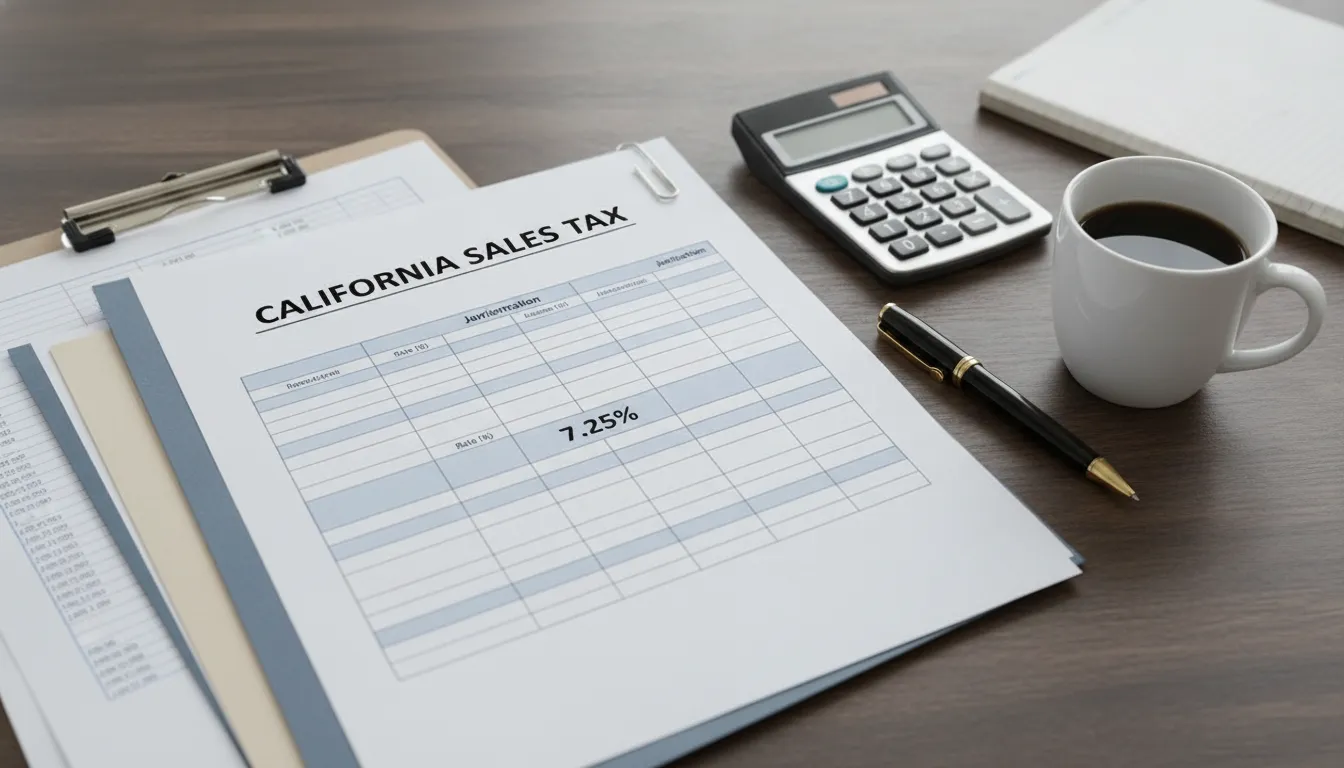
California’s statewide base sales and use tax rate is 7.25%. This rate applies across the state before local district taxes are added. The CDTFA’s sales and use tax rate information explains the statewide rate and lists local rates.
The base rate is a starting point, not always the full rate a customer pays. Local district taxes can raise the total, so two businesses in different California locations may need to collect different amounts. This applies whether you sell from a storefront, at an event, or online.
When setting up tax collection, don’t assume the statewide base rate covers every sale. Confirm the applicable rate for your transactions, and review it when you begin selling in a new area or update your accounting system.
How Do Local District Taxes Affect the Total?
Local district taxes are added to the 7.25% statewide base rate in many parts of California. District tax rates range from 0.10% to 2.00%, and some locations have more than one district tax. This means the combined rate can differ from one address to another, including between nearby areas. The CDTFA’s city and county rate information provides current rates.
For a business, these local additions affect the tax collected from customers and the amounts reported on tax returns. If you sell at multiple locations or deliver across city and county lines, don’t assume your business address determines the rate for every transaction. Keep accurate records of where goods are shipped or picked up, then verify the applicable district taxes.
Which Rate Applies to Store Pickup and Delivery?
California uses a modified origin-based system. State, county, and city taxes are generally based on the seller’s ship-from location. District taxes are generally based on the buyer’s ship-to location. The California sales tax guide explains how these sourcing rules work.
For delivered orders, the customer’s destination can determine which district taxes apply. When a customer picks up an order, the pickup location is generally the destination for district-tax purposes. The details can depend on how the sale is handled, especially if your business has multiple locations or makes deliveries from different sites.
If you regularly offer delivery or store pickup, confirm how to source each type of sale and configure your tax system accordingly. Keeping the order and delivery details on file can help support the rate you charged.
How Can You Find Rates With the CDTFA Lookup Tool?
Use the CDTFA’s address lookup tool to find the rate for a specific location. Enter the relevant address to see the taxes that apply there. An exact street address is helpful because district boundaries may not follow city or ZIP code lines.
Choose an address that reflects how the customer receives the goods. For a shipped order, check the destination address; for a pickup, check the pickup location. Keep a record of the address and rate used, particularly for transactions involving multiple locations.
Check the lookup tool when you begin selling in a new area and when reviewing your tax settings. If your point-of-sale or accounting software calculates tax automatically, compare its rates with the CDTFA’s information to confirm your setup matches the transaction.
Which Purchases Are Taxable Under California Sales Tax?
California sales tax generally applies to retail sales of tangible personal property, which means physical items such as clothing, furniture, appliances, and building materials. Whether a purchase is taxable can depend on the item, how the seller bills for it, where it is delivered, and whether a specific exemption applies. Services sold on their own are often not taxable, but labor tied to making, repairing, or installing a physical product may be treated differently.
These details matter to small business owners who sell products, buy supplies, or invoice customers for a mix of goods and services. A resale purchase may qualify for an exemption, for example, but the seller needs appropriate documentation. Shipping charges may be excluded from the taxable amount in some situations, while delivery using the seller’s own vehicle is generally taxable.
The same rules can affect homeowners and rental property owners. An appliance purchase, repair bill, or renovation contract may include goods and labor with different tax treatment. Contractors also need to distinguish materials incorporated into real property from items sold directly to a customer. The California Department of Tax and Fee Administration (CDTFA) provides guidance on these transactions. When a job or sale is unusual, review the contract and invoice details before deciding how to report it.
Which Goods, Services, and Labor Are Taxable?
Most retail sales of physical goods in California are taxable unless an exemption applies. This can include products sold in person, items shipped to customers, and equipment purchased for business use. Buying something for a business does not automatically make the purchase tax-exempt.
Services are generally not taxable when sold separately from physical goods. Labor charges can have a different result when the work creates or alters an item for sale. For example, fabrication labor is generally taxable, while separately stated labor to repair an existing item is generally not taxable. Parts used in the repair may still be taxable. Clear invoices that separate goods, labor, and services help show how the seller determined the tax treatment. The CDTFA’s guidance on labor and repair charges explains these distinctions.
Which Common Purchases Are Exempt, Such as Groceries and Prescription Medicines?
Many grocery items intended for home consumption are exempt from California sales tax. Exceptions can include hot prepared food and meals sold by restaurants. Prescription medicines are generally exempt when they meet California’s requirements, but not every health or wellness product qualifies. The product itself and the way it is sold both matter.
Other exemptions may cover certain medical devices, qualifying farm or manufacturing equipment, and goods purchased for resale. Each exemption has specific conditions, so sellers should not rely only on a customer’s verbal explanation. For resale sales, keep a valid resale certificate with the transaction records. Businesses that sell food or health-related products can check the CDTFA’s guidance on food and prescription medicines before setting up tax categories. If a product falls into a less familiar category, confirm its treatment rather than assuming it is exempt.
How Do Repairs, Installation, Fabrication, and Bundled Sales Affect Tax?
The tax treatment of labor depends partly on what the work does. Separately stated labor to repair an existing item is generally not taxable, though parts and materials may be. Installation labor is often not taxable when it is separately stated, but the rules can vary with the property and transaction. Fabrication labor, which creates or assembles an item for sale, is generally taxable.
Take care with a single price that combines taxable goods and services that might otherwise be nontaxable. The taxable amount can depend on how the transaction is structured and whether charges are separately stated and supported by records. Avoid relying on a general rule for every mixed sale. Keep estimates, work orders, and invoices that describe the work and identify the charges. The CDTFA’s publication on labor and repair transactions offers examples to help businesses classify common jobs.
When Are Delivery and Shipping Charges Taxable?
A delivery charge may be excluded from the taxable amount when it is separately stated and the seller ships the goods directly to the buyer by a common carrier, contract carrier, or the U.S. mail. The charge generally must reflect the actual transportation cost. If the seller charges more than that cost, the excess may be taxable.
Delivery using the seller’s own vehicle is generally taxable, even when the charge appears separately on the invoice. Handling fees and other charges combined with shipping can also affect the taxable amount. To support the way a charge is reported, keep carrier invoices and show transportation costs clearly on customer invoices. Check the transaction details against the CDTFA’s guidance on transportation and delivery charges, especially when a seller uses more than one delivery method.
How Do Resale Certificates, Nonprofits, and Government Purchases Affect Tax?
A retailer generally does not collect sales tax on goods a customer buys for resale when the customer provides a valid resale certificate. The seller should keep the certificate and confirm that the purchase relates to the customer’s resale business. If an exempt sale is not supported by adequate records during an audit, the seller may be responsible for the tax, penalties, and interest.
Nonprofit status alone does not make an organization’s purchases exempt from California sales tax. Sales to many nonprofit organizations remain taxable unless a specific exemption applies. Sales directly to the U.S. government may qualify for an exemption when the required conditions are met; purchases by California state or local agencies generally do not receive the same treatment. Keep exemption certificates and other supporting documents with the related transaction records. The CDTFA’s guidance on sales to government agencies explains how to review these sales.
How Do Building Materials, Contractors, and Home Improvements Affect Tax?
California’s rules for construction work depend on the type of property and the contractor’s role in the transaction. In many construction contracts, a contractor is treated as the consumer of materials incorporated into real property. The contractor generally pays sales tax or use tax when purchasing those materials, rather than collecting sales tax from the property owner as though the materials were a separate retail sale.
A different result may apply when a contractor sells an appliance, fixture, or other item directly to a customer. Some fixtures are treated differently from building materials, so the contract type and item classification matter. Homeowners and rental property owners can ask for an invoice that clearly describes the work and separately identifies items sold. Contractors can consult the CDTFA’s construction contractor guidance to determine how materials, fixtures, and labor should be reported.
When Must a Business Collect California Sales Tax?
A business generally must collect California sales tax when it has a connection to the state, called nexus, and makes taxable sales there. Nexus can come from a physical presence, such as a store, office, warehouse, or employee in California. It can also arise from sales delivered to California customers, even when the business operates elsewhere.
These rules can affect California businesses and remote sellers alike. For example, a Massachusetts business that ships products to California may have sales tax responsibilities if it meets the state’s economic nexus threshold. Selling through a website does not automatically remove those responsibilities, and sales through a marketplace may be treated differently from orders placed directly with your business.
Nexus is only one part of the decision. You must also determine whether the products you sell are taxable and which transactions a marketplace facilitator handles for you. If registration is required, the business may need to collect tax, file returns, and send collected tax to the state. The California Department of Tax and Fee Administration’s retailer guidance explains how the rules apply to in-state and remote sellers. Review your business connections and sales channels regularly, especially as your operations grow or change.
How Do Physical Presence and Economic Nexus Apply?
Physical presence may establish nexus if your business has a meaningful connection to California. Common examples include operating a shop or office in the state, keeping inventory in a California warehouse, employing people who work there, or sending representatives to conduct business. A business does not need to be headquartered in California for these connections to matter.
Economic nexus can apply even without property or staff in the state. California looks at the amount of tangible personal property a retailer sells and delivers to California. As a result, an online seller outside the state may have collection responsibilities once its sales meet the applicable threshold.
Nexus determines whether California can require your business to collect tax. It does not mean that every transaction is taxable. You still need to check the tax treatment of the items you sell. The CDTFA’s remote seller guidance describes how physical presence and economic nexus affect retailers.
What Is the $500,000 Sales Threshold for Remote Sellers?
An out-of-state retailer may be considered engaged in business in California if it has more than $500,000 in sales of tangible personal property delivered to the state during the current or previous calendar year. If the retailer crosses the threshold, it generally must register and collect tax on taxable sales to California customers.
The calculation may include sales made by the retailer and related persons. If your business has affiliated companies or more than one sales channel, review the combined activity rather than relying only on the figures from a single website or store. The threshold concerns sales delivered into California, not the business’s total sales nationwide.
Track California orders throughout the year so you can spot when your sales approach the threshold. The CDTFA explains the remote seller threshold. If you are unsure which transactions or related entities count, ask an accountant to review your records and business structure.
How Do Online Sales and Marketplace Facilitators Affect Tax?
Online sales can create California sales tax responsibilities when your business has nexus and sells taxable products to customers in the state. This applies to orders placed through your own website as well as other direct sales channels. Keep those transactions identifiable in your records so you can report them accurately.
A marketplace facilitator, such as an online platform that helps sellers make sales, generally collects and pays California sales tax on transactions made through its marketplace when required by law. However, the facilitator’s collection duties may not cover sales you make through your own website, in person, or on another platform. You may still have separate responsibilities for those transactions.
Check each platform’s tax settings and reports, and confirm which orders it handles. The CDTFA’s marketplace facilitator guidance explains when a platform is responsible for collecting and paying tax. Keep marketplace statements with your accounting records to distinguish platform-handled sales from direct sales.
How Does Nexus Affect Registration and Tax Collection?
If your business has California nexus and makes taxable sales, you may need to register with the CDTFA for a seller’s permit. Registration is free, but a permit brings ongoing responsibilities. Depending on your sales and account requirements, you may need to collect the correct tax, file returns, report sales, and pay any tax due by the deadline.
Marketplace sellers should check their specific circumstances. A facilitator may handle tax on marketplace transactions, but that does not automatically settle the seller’s obligations for direct sales or other activity in California. Review the CDTFA’s rules before assuming that a platform has covered every requirement.
The CDTFA’s seller’s permit information explains how to register and manage permit responsibilities. Keep records of taxable and exempt sales, resale transactions, and tax collected by marketplaces. If you are uncertain about registration, filing frequency, or what to report, an accountant can help you assess your business activity and maintain clear records.
How Do You Register for a California Seller’s Permit?
Businesses that sell taxable tangible personal property in California generally need a seller’s permit from the California Department of Tax and Fee Administration (CDTFA). There’s no fee to apply, but the agency may require a security deposit. Register before making taxable sales, and check whether your business needs a permit for each location.
What Information Should You Gather Before Applying?
Prepare your business details before you start the application. You’ll generally need your business name and address, ownership details, federal Employer Identification Number (EIN) or other applicable tax identification number, and expected start date. The CDTFA may also ask about your products, suppliers, business activities, and estimated sales.
Having this information ready can make the process smoother. Requirements may vary based on your business structure and circumstances, so review the CDTFA’s guidance for starting a business before you apply. The agency may request additional details or a security deposit.
How Do You Apply Through the CDTFA?
Submit your application through the CDTFA’s online registration system. You’ll provide business and ownership information, describe what you sell, and answer questions about your sales activity. There’s no application fee. Review your information carefully before submitting, then save your confirmation and permit records.
Start with the CDTFA’s online registration page. After approval, check your account for filing frequency and return deadlines. If you’re unsure how to describe your sales or answer a question, contact the CDTFA or ask a tax professional before completing the application.
How Do You Set Up Tax Collection and Keep Exemption Records?
Set up your point-of-sale system or invoicing process to calculate sales tax before you begin selling. California rates can include state and local district taxes, so the correct rate may depend on the transaction and delivery details. Use the CDTFA rate lookup to check rates, and test your checkout process to confirm it applies tax as expected.
Keep invoices and supporting documents organized, including resale certificates for qualifying sales. If you claim a sale was exempt but can’t support that claim during an audit, you may owe the tax, along with applicable penalties and interest. The CDTFA’s retailer guidance explains seller responsibilities and recordkeeping.
What Permit Responsibilities Apply When You Start or Buy a Business?
When starting a business, check whether your activities create a California registration requirement. Nexus may arise from a physical presence or inventory in the state. Remote sellers may also be required to register if their sales of tangible personal property delivered to California exceed $500,000 in the current or prior calendar year. Review the CDTFA’s remote seller requirements, including how online and marketplace sales factor into the rules.
If you buy a business, don’t assume the seller’s permit transfers to you. Contact the CDTFA about registering under the new ownership, and review the business’s tax records and outstanding obligations before completing the purchase. You can also request a tax clearance certificate to help identify unpaid sales or use tax that could affect the transaction.
How Do California Sales Tax Returns and Use Tax Work?
A California seller’s permit brings ongoing reporting responsibilities. You must file returns on the schedule assigned by the California Department of Tax and Fee Administration (CDTFA), report sales and deductions accurately, and pay any tax due by the deadline. In many cases, you must file a return even if you had no sales during the reporting period.
Use tax can apply when taxable goods are bought without California sales tax and then used, stored, or consumed in the state. For a small business, that might include equipment purchased from an out-of-state vendor that did not collect California tax. Keeping sales and purchase records organized throughout the year can make it easier to prepare returns and answer questions from the CDTFA.
How Do You Manage Filing Frequency, Deadlines, and Payments?
The CDTFA assigns your filing schedule based on factors such as your sales and tax history. You may need to file monthly, quarterly, or annually. Check your CDTFA account and notices for your current schedule, since filing frequency can change.
Returns and payments are generally due together. File by the deadline for each reporting period, even if you had no sales to report. The CDTFA’s filing guidance explains due dates and filing requirements. Set reminders well in advance, and leave time to compare your sales reports with your accounting records. Late filing or payment can result in a penalty of 10% of the tax due, plus interest on unpaid tax. If you anticipate a delay, review your options with the CDTFA or a tax professional as soon as possible.
How Do You Report Taxable Sales, Exempt Sales, and Tax Collected?
A return generally asks you to report gross sales, deductions, taxable sales, and tax collected. Before filing, reconcile these figures with your point-of-sale reports, invoices, and accounting records. Check that the tax collected reflects the rates that applied to your transactions.
Keep valid resale or exemption certificates to support transactions you deduct from taxable sales. Save certificates with related invoices and sales records, rather than relying on a customer’s verbal explanation. If you sell through a marketplace facilitator, review its tax reports and follow the CDTFA’s instructions for reporting those sales. Businesses with California nexus may have registration and collection responsibilities. Avalara’s California sales tax guide summarizes the state’s nexus rules, including the economic threshold for remote sellers. Confirm how the rules apply to your sales before filing.
How Does Use Tax Apply to Online and Out-of-State Purchases?
Use tax may be due when you buy taxable goods without paying California sales tax and then use, store, or consume them in California. For example, a business may owe use tax on equipment purchased from an out-of-state seller that did not collect California tax. The amount is generally calculated using the purchase price and the tax rate that applies where the goods are used.
Review invoices and receipts for purchases that may be subject to use tax, including online orders. Businesses registered with the CDTFA generally report applicable use tax on their sales and use tax return. Individuals may be able to report use tax on a California income tax return, depending on their situation. The CDTFA’s use tax guidance explains when tax may be due and how to report it. Keep purchase documents so you can support your calculation.
How Do You Manage Records, Audits, Late-Filing Penalties, and Interest?
Keep filed returns, payment confirmations, sales records, purchase invoices, resale and exemption certificates, and marketplace reports. Organize documents by reporting period so you can trace return amounts back to their source. Follow California’s recordkeeping requirements, and check current CDTFA guidance if you are unsure how long to retain a particular document.
During an audit, the CDTFA may ask you to support reported sales, deductions, and exempt transactions. If you cannot substantiate an exempt sale, you may be responsible for the tax, penalties, and interest. Review records regularly to catch missing certificates or differences between sales reports and returns. Late filing or payment can result in a 10% penalty on the tax due, plus interest on unpaid tax from the due date. If you discover an error, consult the CDTFA’s return and payment instructions or a tax professional about how to correct it.
How Can You Keep California Sales Tax Compliance on Track?
California sales tax compliance takes regular attention. Rates can vary by location, and businesses that sell in person, online, or through marketplaces may need to track transactions across several systems. Set a recurring time to review rates, reconcile sales records, and confirm that your permit and filing details are current. Keeping these tasks on a calendar can help you spot issues before they become bigger problems.
It also helps to assign clear responsibility for each step. Decide who checks rates, saves exemption documents, reviews accounting reports, and prepares returns. If you handle these tasks yourself, keep a simple checklist and store records in one secure place. If an employee or outside bookkeeper helps, make sure they know which sales are taxable, where to find supporting documents, and when filing deadlines fall. A consistent process gives you a clearer picture of what your business owes and what you have already paid.
How Do You Check CDTFA Rate Updates, Guidance, and Webinars?
Local district taxes can affect the total rate charged on a sale, so check the rate for the transaction’s location instead of relying on an old setting. The CDTFA sales and use tax rate page provides an address lookup tool and rate tables. Review the rate when you open a location, change delivery practices, or update your point-of-sale or online checkout settings.
The CDTFA also offers seminars and educational resources covering topics such as permits and returns. These materials can help you understand general requirements, but your business may have questions that call for specific guidance. For help, contact the CDTFA Customer Service Center at 1-800-400-7115 (TTY: 711), or speak with a tax professional who understands California sales tax.
How Do You Regularly Review Sales Tax Records and Accounting Tools?
Schedule regular reviews to compare sales records with the tax collected and reported. Check transactions from your point-of-sale system, online store, and marketplaces. Confirm that each system applies the correct rate and separates taxable, exempt, and resale transactions accurately. Accounting and sales tax software can support these checks, but you remain responsible for the information included on your return.
Keep exemption and resale certificates with the sales records they support. If you claim a sale is exempt but cannot provide documentation during an audit, you may owe the tax, plus penalties and interest. Save invoices, receipts, filed returns, and payment confirmations in a secure, organized location. The California sales and use tax guide can help you review common recordkeeping questions, though official CDTFA guidance should take priority.
How Can You Get Professional Help With Registration, Returns, and Tax Questions?
A tax professional can help you determine whether your business needs a California seller’s permit, gather information for registration, and prepare for filing. The CDTFA issues seller’s permits at no charge. Before applying, gather details such as your business name and address, federal EIN, start date, expected sales, and the types of products you sell. Check the CDTFA registration resources for current application instructions.
Professional support can also help you review filing frequency, reconcile sales with tax collected, and sort through questions about online or marketplace sales. If you buy taxable items for business use without paying California sales tax, use tax may apply. Accounting Solutions, Inc. can help with broader accounting and tax questions, and help you identify when California-specific guidance may be needed. If you work with an adviser, share your sales reports, exemption documents, and prior returns so they can give advice based on your records.
Related Articles
- Self-Employed? Stay on Top of Your Taxes
- Time-Saving Tax Habits That Make Filing Easier
- Frequently Asked Questions about Estimated Taxes in 2026
- Start-Up Costs for a Start-Up Business
- Understanding Unpaid Payroll Tax Penalties: What Every Business Owner
Frequently Asked Questions
Is California’s 7.25% sales tax rate the total rate customers pay?
Not always. The 7.25% rate is the statewide base rate. Local district taxes can increase the total, and the applicable rate may depend on where the customer receives the goods. Check the CDTFA’s address lookup for the transaction location.
Does every California business need to collect sales tax?
A business generally needs to collect tax when it has a connection to California and sells taxable goods there. That connection may come from a physical presence or, for certain out-of-state retailers, more than $500,000 in sales of tangible personal property delivered to California during the current or previous calendar year. Registration and collection requirements depend on the business’s activities and sales.
Do online marketplace sales count toward a seller’s tax responsibilities?
A marketplace facilitator generally collects and pays California sales tax on sales made through its platform when required. However, you may still have obligations for sales through your own website, in person, or on other platforms. Check marketplace reports and keep those sales separate in your records.
When might a business owe use tax?
Use tax may apply when a business buys taxable goods without paying California sales tax and then uses, stores, or consumes them in California. This can include equipment bought from an out-of-state seller. Keep purchase invoices and check whether the tax was collected before reporting any amount due.
What records should a business keep for California sales tax?
Keep sales and purchase records, invoices, filed returns, payment confirmations, marketplace reports, and any resale or exemption certificates. Organized records help you prepare accurate returns and support how you treated transactions if the CDTFA asks for documentation.